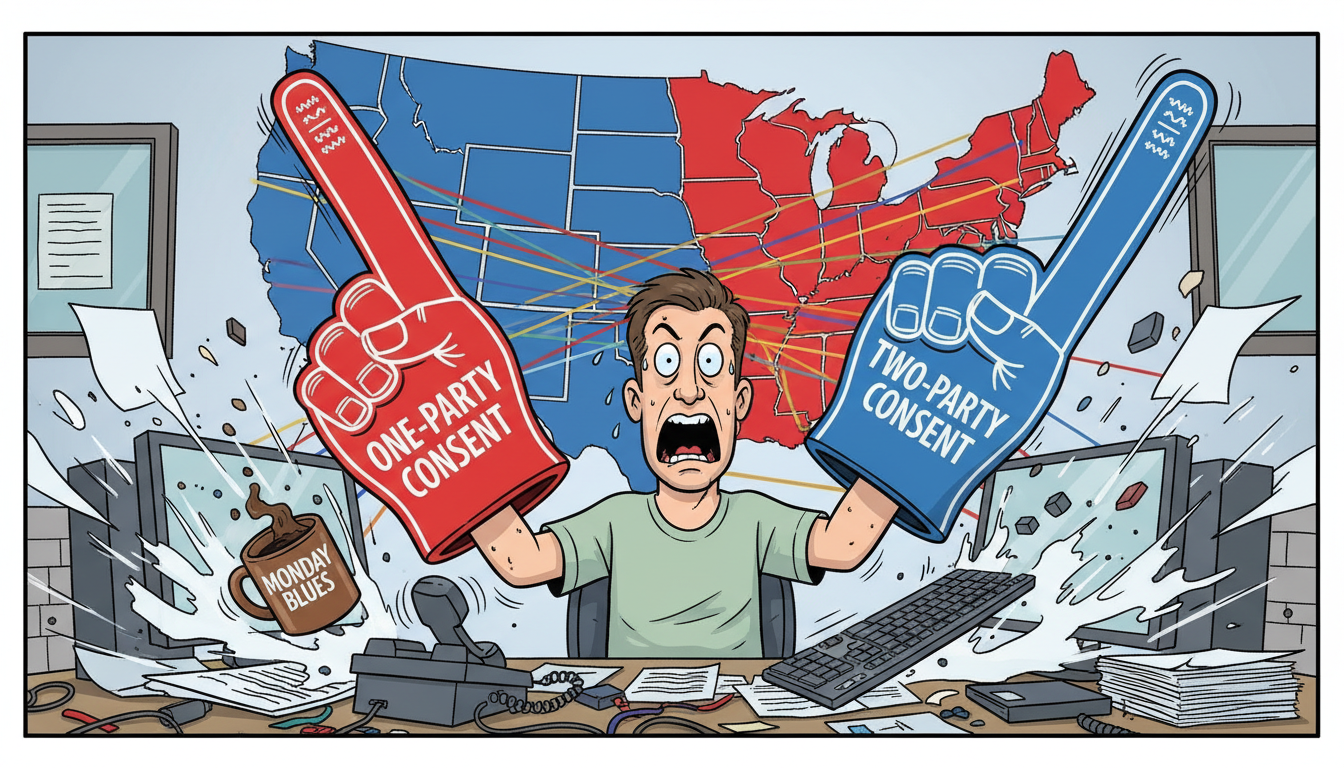
You can transcribe a voice call using built-in smartphone features (iOS 18+ and Android 14+ include native call recording and transcription), third-party apps like Otter.ai or Rev, or CRM platforms with integrated call recording such as MADDOX CRM. Accuracy ranges from 85% for consumer apps to 95%+ for business-grade systems trained on industry terminology, and legal compliance requires one-party or two-party consent depending on your state – Utah follows one-party consent under Utah Code § 77-23a-4.
What are the main methods to transcribe a phone call?
Three primary methods exist: native smartphone features, standalone transcription apps, and CRM-integrated systems. Each serves different use cases and accuracy requirements.
Native smartphone transcription launched with iOS 18 and Android 14 in late 2023. Both platforms record calls directly through the phone app and generate transcripts automatically. iOS stores transcripts in the Notes app; Android saves them in the Phone app’s call history. These tools work without additional software but lack business features like searchable archives, keyword tagging, or integration with customer records.
Standalone transcription apps like Otter.ai, Rev, and Trint operate independently of your phone system. You route calls through the app or upload audio files after recording. Accuracy varies widely – consumer apps average 85-90% on clear audio with standard vocabulary, but struggle with technical jargon, acronyms, and multiple speakers. Most charge per minute of audio or use subscription tiers with monthly minute caps.
CRM-integrated systems like MADDOX CRM’s AI-powered call recording combine transcription with customer context. Every call links automatically to the contact record, deal stage, and previous conversations. The system timestamps key moments, flags action items, and makes every word searchable across your entire client history. For MSPs, this means technical terms like “VLAN configuration” or “RMM agent deployment” transcribe accurately because the model trains on industry-specific vocabulary.
Native tools suit personal use; standalone apps work for occasional business transcription; CRM integration solves accountability and compliance at scale.
How accurate is automated call transcription?
Transcription accuracy depends on audio quality, speaker clarity, technical vocabulary, and the underlying AI model. Business-grade systems outperform consumer tools by 10-15 percentage points on industry-specific calls.
Consumer-grade transcription (smartphone apps, free tools) averages 85-90% accuracy under ideal conditions: single speaker, clear audio, standard vocabulary. Accuracy drops to 70-80% with background noise, multiple speakers talking over each other, or heavy accents. These systems use general-purpose language models trained on everyday speech, so technical terms often transcribe incorrectly – “Autotask” becomes “auto task,” “SLA” becomes “essay,” and “MSP” might appear as “MSB” or “MSD.”
Business-grade transcription systems achieve 95-98% accuracy on domain-specific calls by training models on industry terminology and client-specific vocabulary.
MADDOX CRM uses 58 distinct AI features, each pinned to purpose-built models. The transcription engine recognizes MSP-specific terms, client company names, and product SKUs because it learns from your actual conversation history. When a technician says “We’ll configure the SonicWall with geo-blocking for the new VLAN,” the transcript captures every technical term correctly – critical when you need to prove what was promised during a client dispute.
Audio quality matters more than model sophistication. A $200 USB conference speakerphone in a quiet room outperforms a $5,000 AI system transcribing a cell phone call from a moving car. For client-facing calls where accuracy determines contract disputes, use a dedicated softphone or conference line rather than relying on cellular connections.
Accuracy above 95% requires domain-specific training and clean audio; general-purpose tools plateau around 85-90% regardless of marketing claims.
What are the legal requirements for recording and transcribing calls?
Call recording laws vary by state and fall into two categories: one-party consent and two-party (all-party) consent. Violating these laws carries criminal penalties in some jurisdictions, so compliance is not optional.
One-party consent states – including Utah, where Salt Lake City is located – allow you to record a call if any single participant knows about the recording. That participant can be you. Utah Code § 77-23a-4 permits recording without notifying the other party, giving MSPs operational flexibility for client calls, sales conversations, and internal coaching. Thirty-eight states follow one-party consent rules.
Two-party consent states – California, Florida, Pennsylvania, and nine others – require all participants to know the call is being recorded. Notification can be verbal (“This call is being recorded for quality assurance”) or an audible beep tone every 15 seconds. If you’re in Utah but your client is in California, California’s stricter law applies because the call crosses state lines. Interstate calls default to the most restrictive jurisdiction involved.
Written consent policies protect you better than verbal notification alone. Include call recording terms in your MSP service agreement, specifically stating that client calls may be recorded for training, quality assurance, and dispute resolution. MADDOX CRM for MSPs includes a consent workflow that logs acknowledgment timestamps and stores them with the call record, creating an audit trail if a client later disputes whether they agreed to recording.
Federal law (18 U.S.C. § 2511) follows one-party consent for interstate calls, but state laws can impose stricter requirements. The safest practice: notify all parties on every call regardless of state law, and document that notification in your CRM.
Compliance requires knowing both your state law and your client’s state law; document consent in writing and timestamp every notification.
How do I transcribe a call in real time versus after it ends?
Real-time transcription generates text as the conversation happens; post-call transcription processes recorded audio after the call ends. Each approach serves different business needs.
Real-time transcription powers live coaching and immediate action. MADDOX CRM’s AI Softphone transcribes calls as they happen and displays live coaching prompts based on what the prospect says. When a client mentions “budget concerns,” the system surfaces pricing objection responses in real time. When a prospect asks about security certifications, the AI pulls the relevant compliance documentation into a side panel while you’re still on the call. This requires low-latency transcription (under 2 seconds from speech to text) and continuous processing throughout the conversation.
Post-call transcription offers higher accuracy because the system processes the entire audio file with full context. Batch processing allows for multiple passes – the first pass generates a rough transcript, the second pass corrects errors using conversation context, and the third pass applies domain-specific vocabulary. Most CRM-integrated systems use post-call transcription for the permanent record while offering real-time transcription as a separate feature for coaching.
Hybrid approaches combine both: real-time transcription for live coaching with lower accuracy tolerance (90-92%), then post-call reprocessing for the archived transcript at higher accuracy (96-98%). MADDOX CRM uses this model – you get coaching prompts during the call, then a cleaned-up final transcript appears in the contact record within 60 seconds of hanging up.
Storage and processing costs differ significantly. Real-time transcription requires continuous compute resources and low-latency infrastructure, making it 3-5x more expensive than batch post-call processing. Systems that offer both typically charge premium pricing tiers for real-time features.
Real-time transcription enables live coaching but costs more; post-call transcription delivers higher accuracy for permanent records.
Why would an MSP need call transcription beyond basic recording?
Recording captures audio; transcription makes that audio searchable, actionable, and legally defensible. For MSPs, transcription solves three critical problems: accountability, training, and dispute resolution.
Accountability requires proof of what was promised. When a client claims you agreed to 24-7 phone support but your contract specifies business hours only, a recording forces you to listen to a 40-minute call to find the relevant 30 seconds. A transcript lets you search “24-7” or “after hours” and jump directly to the moment the topic was discussed. MADDOX CRM’s contact records include every transcript linked to the client, so you can search across all conversations with that account to find every mention of SLA terms, pricing discussions, or scope changes.
Training new sales reps without transcription means they listen to hours of recorded calls hoping to catch good examples of objection handling. With transcription, you search for “too expensive” or “already have a provider” and pull up every instance where a senior rep successfully handled that objection. MADDOX CRM’s coaching features let you tag transcript sections as training examples, building a library of proven responses indexed by objection type, client vertical, and deal size.
Dispute resolution depends on exact wording. A client insists you promised free after-hours support during onboarding; your rep insists he specified business hours only. The recording exists, but neither party wants to listen to 90 minutes of audio. The transcript shows the exact exchange: “Our standard support runs 8 to 6 Mountain Time, Monday through Friday. After-hours emergency support is available as an add-on at $200 per month.” Case closed in 15 seconds instead of 15 minutes of arguing.
Searchability transforms recordings from evidence you hope you never need into operational intelligence you use daily. MADDOX CRM indexes every word spoken on every call, so you can ask “Which clients mentioned budget concerns in the last 60 days?” and get a list with timestamps and context. That’s impossible with recording alone.
Transcription turns passive recordings into searchable, actionable business intelligence that prevents disputes and accelerates training.
What should I look for in a call transcription system for my MSP?
Evaluate transcription systems on six criteria: accuracy on technical terminology, integration with existing tools, searchability, compliance features, storage costs, and coaching capabilities.
- Accuracy on technical terminology matters more than general-purpose transcription quality. A system that achieves 98% accuracy on everyday speech but mangles “ConnectWise Automate” or “Datto BCDR” creates more work than it saves. Test any system with actual MSP sales calls before committing – upload three recorded client conversations and review the transcripts for technical term accuracy. MADDOX CRM trains on MSP-specific vocabulary, so terms like “RMM agent,” “PSA integration,” and “co-managed IT” transcribe correctly without manual correction.
- Integration with existing tools determines whether transcription adds value or creates duplicate data entry. If your team already uses ConnectWise Manage or Autotask, the transcription system must sync calls, contacts, and opportunities bidirectionally. MADDOX CRM integrates with ConnectWise, Autotask, and QuickBooks, so every transcribed call links automatically to the correct client record, ticket, or opportunity without manual tagging.
- Searchability across all conversations separates basic transcription from operational intelligence. You need full-text search across every call, with filters for date range, client, rep, and keyword. Advanced systems let you search for patterns – “all calls where the client mentioned ‘compliance’ and the deal value exceeded $5,000” – to identify upsell opportunities or training gaps.
- Compliance features must include consent logging, retention policies, and audit trails. Your system should timestamp when each party was notified about recording, store that consent record with the transcript, and enforce automatic deletion after your retention period (typically 7 years for client contracts, 3 years for sales calls). MADDOX CRM enforces tenant isolation via global scope on every query, ensuring Client A’s transcripts never appear in Client B’s search results even if they share a rep.
- Storage costs scale with call volume. A 12-person MSP averaging 200 client calls per month generates roughly 100 hours of audio and 750,000 words of transcript monthly. Confirm whether the vendor charges per minute of audio, per user, or flat-rate unlimited. Systems that charge per minute become prohibitively expensive as your team grows; flat-rate pricing provides cost predictability.
- Coaching capabilities determine whether transcription improves sales performance or just documents it. Real-time coaching surfaces objection responses during the call; post-call coaching flags missed opportunities and scores call quality against your playbook. MADDOX CRM includes five call behavior detectors in locked order, analyzing talk ratio, question frequency, objection handling, next-step clarity, and commitment language on every call.
Choose systems that transcribe your industry terminology accurately, integrate with your PSA, and provide searchable intelligence – not just archived audio.
How MADDOX CRM solves call transcription for MSPs in Salt Lake City
Most MSPs in Salt Lake City face a common problem: they record client calls for compliance, but the recordings sit unused because no one has time to listen to 40 hours of audio per week. Transcription alone doesn’t solve this – you need transcription integrated with your CRM, searchable across all client interactions, and accurate on MSP-specific terminology.
MADDOX CRM records every call and meeting word for word, then makes that record searchable and actionable. Every transcript links automatically to the contact, company, and deal stage. You can search across all conversations with a client to find every mention of pricing, SLA terms, or scope changes. When a client disputes what was promised during onboarding, you search the transcript for “backup” or “disaster recovery” and jump directly to the relevant exchange – no need to listen to 90 minutes of audio hoping to find the right moment.
The system integrates with ConnectWise Manage and Autotask, so transcribed calls sync bidirectionally with your PSA. A call logged in MADDOX appears in ConnectWise with the full transcript attached. An opportunity updated in Autotask triggers the corresponding deal record in MADDOX to refresh. Your team doesn’t enter data twice, and you don’t lose context switching between systems.
Utah’s one-party consent law (Utah Code § 77-23a-4) gives MSPs in Salt Lake City operational flexibility – you can record client calls without explicit notification. MADDOX CRM still logs consent timestamps and stores them with each transcript, creating an audit trail if a client later questions whether they agreed to recording. For clients in two-party consent states like California, the system prompts your rep to notify the client before recording starts.
Real-time coaching sets MADDOX apart from basic transcription tools. The AI Softphone transcribes calls as they happen and displays live coaching prompts based on what the prospect says. When a client mentions budget concerns, the system surfaces pricing objection responses in real time. When a prospect asks about security certifications, the AI pulls relevant compliance documentation into a side panel while you’re still on the call. This turns junior reps into effective closers faster than any training program, because they get expert guidance during the conversation – not three days later in a coaching session.
Post-call, the system analyzes every transcript for missed opportunities. Did your rep forget to ask for the decision timeline? Did the client mention opening a second location but your rep didn’t flag it for follow-up? MADDOX scores each call against your playbook and surfaces gaps in a daily coaching queue. For MSP owners who can’t listen to every call their team makes, this provides accountability without micromanagement.
Reports and dashboards show which sales activities actually result in closed contracts. You can see that calls where your rep asks about current IT pain points close at 34% versus 18% for calls that jump straight to pricing. You can identify that prospects who receive a follow-up email with the transcript attached within 4 hours are 2.3x more likely to book a second meeting. This level of insight is impossible with recording alone – you need transcription, tagging, and analysis integrated into your sales workflow.
MADDOX CRM is purpose-built for MSPs who need more than passive call recording. It provides transcription accurate on technical terminology, integration with ConnectWise and Autotask, searchable intelligence across all client conversations, compliance features that log consent and enforce retention policies, and real-time coaching that improves sales performance on every call. For MSPs in Salt Lake City stuck at the growth ceiling – where you can’t scale sales without hiring dedicated reps, but can’t afford reps who don’t also do technical work – MADDOX turns your existing technical team into effective closers by giving them the coaching and accountability they need on every client conversation.
Frequently asked questions
Is there anyway to transcribe a phone call?
Yes, you can transcribe phone calls using native smartphone features (iOS 18+ and Android 14+), third-party apps like Otter.ai or Rev, or CRM-integrated systems like MADDOX CRM. Native tools work for personal use; business-grade systems provide higher accuracy on technical terminology, searchable archives, and integration with customer records. Accuracy ranges from 85% for consumer apps to 95%+ for domain-specific business systems.
How can I transcribe a live phone call?
Live phone call transcription requires a system that processes audio in real time with latency under 2 seconds. MADDOX CRM’s AI Softphone transcribes calls as they happen and displays live coaching prompts based on what the prospect says. Native smartphone apps (iOS 18+, Android 14+) also offer real-time transcription but lack business features like CRM integration, searchable archives, or coaching. Real-time transcription costs 3-5x more than post-call batch processing.
How can I transcribe an audio call to a text transcript?
Upload recorded audio to a transcription service (Rev, Trint, Otter.ai) or use a CRM with built-in transcription like MADDOX CRM. Post-call transcription delivers higher accuracy (96-98%) than real-time transcription because the system processes the entire file with full context. Business-grade systems recognize industry-specific terminology – critical for MSPs where terms like “VLAN configuration” or “RMM agent” must transcribe correctly for client dispute resolution and compliance documentation.
Can you legally transcribe a phone call?
Yes, if you comply with state consent laws. Utah (where Salt Lake City is located) is a one-party consent state under Utah Code § 77-23a-4, allowing recording if any participant knows about it. Two-party consent states like California require all parties to be notified. Interstate calls default to the strictest law involved. Include call recording terms in your service agreement and log consent timestamps for audit trails.
What is the best free app for transcription of phone calls?
Native smartphone transcription (iOS 18+ and Android 14+) is free and built-in, but lacks business features like searchable archives, CRM integration, or technical vocabulary accuracy. Free tiers of Otter.ai and Rev offer limited monthly minutes (typically 300-600 minutes) with 85-90% accuracy on clear audio. For MSPs, free consumer apps fail on technical terminology and don’t integrate with PSA systems like ConnectWise or Autotask, making them unsuitable for client-facing calls.
Are you allowed to record a call without someone knowing?
In Utah, yes – Utah Code § 77-23a-4 permits one-party consent recording, meaning you can record if any participant (including you) knows about it. However, if your client is in a two-party consent state like California, that state’s stricter law applies. The safest practice: notify all parties on every call regardless of state law, document consent in your service agreement, and log notification timestamps in your CRM for compliance audits.