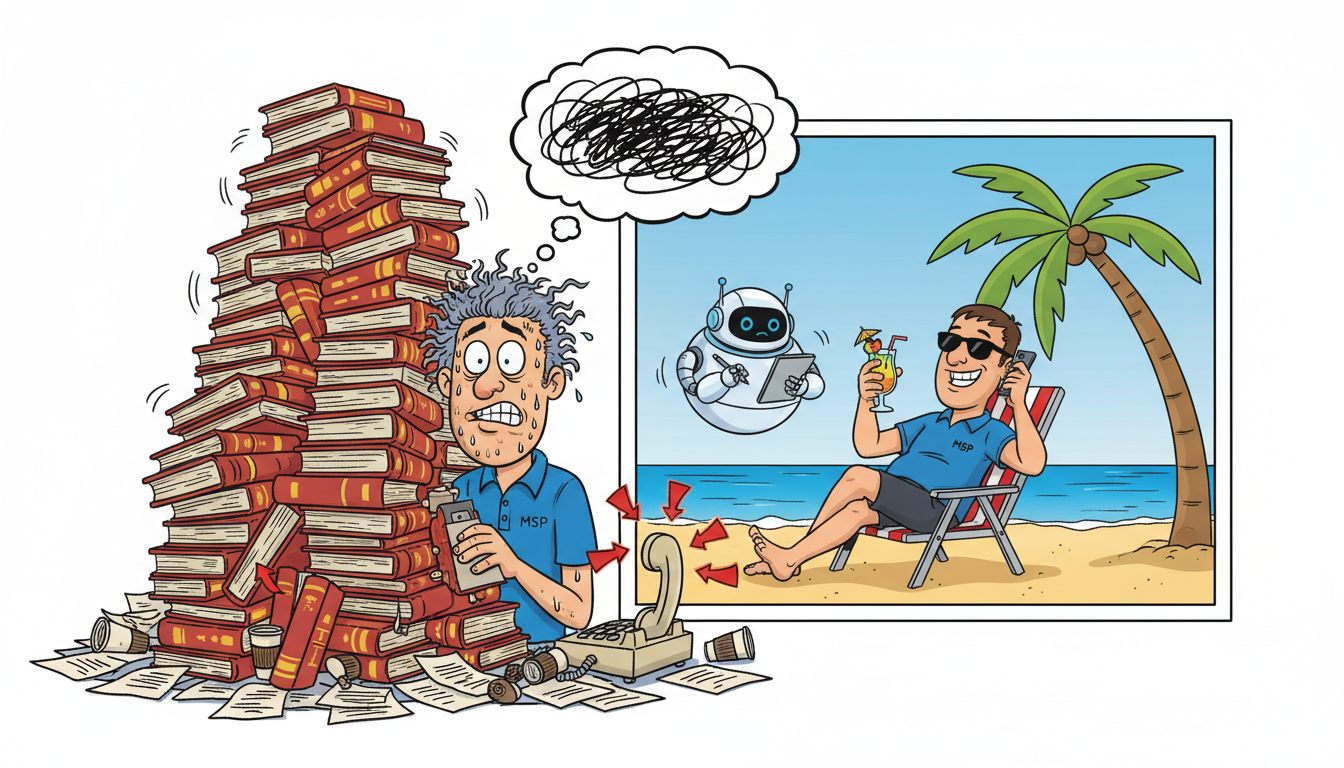
Technical sales teams using MADDOX CRM reach productive use in under 30 minutes because the system requires zero manual data entry and works automatically in the background. Unlike traditional CRMs that demand hours of training on fields, stages, and workflows, MADDOX records every call and meeting word-for-word without requiring your team to log activities, update records, or learn complex navigation. Your technical people keep selling exactly as they do now – the CRM adapts to them.
Why do traditional CRMs fail with technical teams?
Traditional CRMs like Salesforce, HubSpot, and Zoho were built for professional sales organizations with dedicated reps who spend eight hours a day in the system. They demand constant manual input: logging calls, updating opportunity stages, entering meeting notes, tagging contacts, setting follow-up tasks.
Technical people who also sell don’t have time for that workflow. An MSP engineer closing a $6,000 monthly managed services contract is also troubleshooting a firewall issue, responding to three support tickets, and preparing for a client QBR. Asking them to spend 15 minutes after each sales call updating CRM fields guarantees the CRM gets abandoned within two weeks.
The failure point isn’t laziness or lack of discipline. The CRM was designed for a different job role. A dedicated sales rep with a quota and a pipeline review every Friday has different incentives than a technical person whose primary job is keeping clients’ systems running.
MADDOX eliminates the manual input requirement entirely. The system listens to every call, transcribes every word, extracts commitments automatically, and surfaces the information when you need it. Your technical team never opens a form or updates a field.
What does the actual onboarding process look like?
MADDOX onboarding for technical teams takes one 20-minute session. You connect your phone system (the AI softphone works with existing VoIP providers or replaces your desk phone entirely), grant calendar access so the system knows when meetings happen, and set consent preferences for call recording based on your state’s laws.
That’s the entire technical setup. No fields to configure, no pipeline stages to define, no custom objects to build. The system starts recording immediately and begins building your knowledge base from day one.
The first sales call your team takes after onboarding is automatically recorded, transcribed, and analyzed. MADDOX identifies the prospect’s name, company, pain points mentioned, pricing discussed, and commitments made by both sides. All of that information becomes searchable instantly through the Ask MADDOX feature.
Training your team to use the system means teaching them one behavior: when they need to remember what was said on a call, they ask MADDOX instead of digging through notes. “What did the prospect at Alpine Legal say about their backup requirements?” gets an answer in seconds, with direct quotes and timestamps linking back to the original recording.
For technical people used to Googling solutions and querying documentation, this interaction model is already familiar. They’re not learning CRM methodology; they’re asking questions and getting answers.
How does MADDOX handle the difference between sales calls and support calls?
The system distinguishes context automatically using AI analysis of conversation content, participant roles, and calendar metadata. A support call about a server outage looks different from a sales call about expanding managed services to a second office location – different vocabulary, different problem structure, different outcome.
MADDOX doesn’t interrupt a support call with sales coaching prompts. The AI recognizes technical troubleshooting language and flags the call appropriately. When your engineer is walking a client through a password reset, the system captures the interaction for support ticket documentation but doesn’t treat it as a sales opportunity.
When that same engineer is on a call where the client mentions opening a new location and needing network infrastructure, MADDOX recognizes the sales context and flags the upsell opportunity. The system surfaces relevant pricing from past quotes, reminds the engineer of similar projects closed successfully, and tracks the commitment to follow up with a proposal.
This context-aware behavior means your technical team doesn’t need to manually categorize calls or tell the system what type of interaction just happened. The CRM is smart enough to know the difference and respond appropriately.
The learning curve for this feature is zero – your team experiences it as the system being helpful at the right moments and staying out of the way the rest of the time.
What happens when someone forgets how to do something in the system?
MADDOX is designed so there’s almost nothing to forget. The core interaction model – talk on the phone, attend meetings, ask questions when you need information – requires no memorization. There are no multi-step workflows to recall, no required fields that block saving a record, no sequences of clicks to execute a common task.
When a technical team member needs to do something beyond asking questions – pulling a report on close rates, generating a proposal from a recorded call, reviewing coaching feedback from last week’s sales conversations – the interface uses natural language prompts. “Show me all deals over $5,000 that closed in the last 60 days” works exactly as typed.
The reports and dashboards feature doesn’t require learning pivot tables, building custom views, or understanding database query logic. You describe what you want to see, and the AI generates the report. If the first attempt isn’t quite right, you refine it conversationally: “Now break that down by which sales rep closed it.”
For MSPs serving clients across medical, legal, and manufacturing verticals, this means you can ask vertical-specific questions without pre-configuring industry tags or custom fields. “Which healthcare clients mentioned compliance concerns in their last QBR?” surfaces the relevant conversations with timestamps and transcripts, even though you never created a ‘compliance concerns’ field or trained the system on healthcare vocabulary.
The system learns your business terminology as it records conversations. After two weeks of calls, MADDOX understands what ‘VLAN configuration,’ ‘backup retention policy,’ and ‘co-managed IT’ mean in your context because it has heard you and your team use those terms dozens of times.
Technical teams using MADDOX report productive use within the first sales call – typically 30 minutes or less from setup to value.
How does this compare to training timelines for ConnectWise or Autotask?
ConnectWise Manage and Autotask PSA are professional services automation platforms designed for ticketing, project management, and billing workflows. They’re powerful tools for running an MSP’s operations, but they require substantial training investments – typically 8-16 hours of initial onboarding for a new user, plus ongoing reinforcement as features get forgotten between uses.
Those platforms demand that users understand their data model: the difference between a company, a contact, a configuration item, a ticket, an opportunity, and an agreement. Each object has required fields, validation rules, and relationships to other objects. A technical person trying to log a sales conversation in ConnectWise needs to know which module to use, which fields are mandatory, and how to link the opportunity to the correct company record without creating a duplicate.
MADDOX eliminates that cognitive overhead entirely. There is no data model to learn because the system builds the model automatically from recorded conversations. When your engineer talks to a prospect, MADDOX creates the contact record, associates it with the company, links it to the opportunity, and extracts the relevant details – all without the engineer touching a form.
The two systems serve different purposes and integrate rather than compete. ConnectWise remains your system of record for billing, ticketing, and project tracking. MADDOX becomes your system of memory for what was actually said in every client and prospect conversation. The MSP-specific features ensure that sales commitments recorded in MADDOX flow into your PSA as actionable tasks and scope documentation.
Training a technical team member to use both systems together takes the same 8-16 hours for ConnectWise plus 30 minutes for MADDOX. The difference is that ConnectWise skills atrophy without constant use, while MADDOX requires no skill retention because the interaction model never changes.
Training timeline comparison
- ConnectWise Manage: 8-16 hours initial training, ongoing reinforcement required, skills decay without regular use
- Autotask PSA: 8-16 hours initial training, complex data model to memorize, mandatory field requirements create friction
- MADDOX CRM: 20-30 minutes setup, zero ongoing training needed, interaction model stays constant
- Traditional CRMs (Salesforce, HubSpot): 12-20 hours initial training, weekly pipeline hygiene required, manual data entry creates abandonment
What about team members who refuse to use any CRM at all?
Technical people resist CRMs because traditional systems create work without delivering immediate personal value. Spending 10 minutes logging call notes benefits the sales manager who runs pipeline reports, but it doesn’t help the engineer who just wants to close the deal and move on to the next task.
MADDOX inverts that value equation. The system works whether your team engages with it or not – calls get recorded, transcripts get generated, commitments get tracked automatically. But the team members who do engage get immediate personal benefits that make their jobs easier.
An engineer preparing for a follow-up call with a prospect can ask MADDOX, “What did this person say their budget was?” and get an answer with a direct quote and timestamp in under five seconds. That’s faster than scrolling through email, searching Slack, or trying to remember. The CRM becomes a tool that makes them more effective at their job, not an administrative burden.
When a client disputes what was promised during onboarding, the engineer can pull up the exact recording and say, “Here’s what we agreed to on March 15th at 2:47 PM.” That capability protects them personally from blame for miscommunications and scope creep. The CRM becomes defensive armor, not a reporting obligation.
For MSP owners managing technical teams who also carry sales quotas, this shift in incentives is the difference between CRM adoption and CRM abandonment. Your people use MADDOX because it makes their lives easier, not because you’re forcing them to comply with a process.
The learning curve becomes irrelevant when the system delivers value faster than the time invested to learn it. Thirty minutes of setup yields years of perfect memory and instant recall. That’s a trade any technical person will make.
Frequently asked questions
Do technical team members need to manually start and stop call recordings?
No. MADDOX records automatically when calls connect through the AI softphone or when calendar events begin. The system handles consent notifications based on your state’s recording laws, adjusting for stricter states where your clients operate. Your team makes calls exactly as they do now, and recordings happen in the background without any manual trigger required.
What if someone on the team is terrible at using technology?
MADDOX requires no technology skill beyond making phone calls and asking questions in plain English. If your team member can use voicemail and Google search, they can use MADDOX productively. The system has no interface complexity to master, no software to install on their computer, and no workflows to memorize. The AI handles all technical complexity invisibly, and the user experience is conversational rather than procedural.
How long before the AI understands our MSP-specific terminology and service offerings?
MADDOX begins recognizing your terminology after approximately 10-15 recorded conversations, typically within the first week of use. The system learns terms like ‘co-managed IT,’ ‘backup retention,’ ‘VLAN configuration,’ and your specific service tier names by hearing them in context repeatedly. After 30 days of normal use, the AI understands your business vocabulary as well as a new employee would after a month of listening to client calls.
Can we use MADDOX alongside our existing PSA without double data entry?
Yes. MADDOX integrates with ConnectWise, Autotask, and other PSA platforms to sync contact records, opportunities, and commitments automatically. Your team never enters the same information twice. The PSA remains your billing and ticketing system of record, while MADDOX becomes your conversation memory and sales intelligence layer. Changes flow between systems without manual intervention, and your technical team interacts only with whichever system is relevant to their current task.
What happens during the first sales call after we turn MADDOX on?
The system records the entire conversation, transcribes it word-for-word, identifies the participants, extracts key information like budget and timeline, flags commitments made by both sides, and makes everything searchable through Ask MADDOX. Your team member experiences no difference in how they conduct the call – they talk naturally, handle objections, discuss pricing, and close or advance the deal. Afterward, they can immediately query the system about anything discussed, and MADDOX answers with direct quotes and timestamps linking to the recording.
How does MADDOX handle calls where we’re troubleshooting technical issues versus selling new services?
The AI distinguishes support calls from sales calls automatically by analyzing conversation content, participant roles, and context. A troubleshooting call about a server outage gets categorized for support ticket documentation without sales coaching prompts. A conversation about expanding services to a new office location gets flagged as a sales opportunity with relevant pricing and coaching surfaced. Your team doesn’t manually tag or categorize calls – the system recognizes the difference and responds appropriately without creating extra work.