Chatter
Real history. Just not in your face.
Automation writes far more activity than people do. Fourteen system activity types — the enrolments, the field syncs, the scoring passes — are suppressed from the human-facing timeline. They are real history and stay queryable, but they must not be what a rep sees when they open a contact to remember a conversation.
How it works
Suppression, not deletion
The distinction matters, because one of these is reversible and the other is not.
The machine writes
Automation logs what it did, in full, at the time it did it. Nothing is skipped to keep the timeline tidy — a record with gaps in it is worse than a noisy one.
The view filters
A fixed list of fourteen system types is dropped from the stream a person reads. The list is one owner in the code rather than a condition repeated at each call site, so the rep view and the query view can never disagree about what a system type is.
The query keeps
Anyone who needs the machine record queries for it directly. Debugging an automation, auditing an enrolment, or proving a sync ran are all still first-class things to do.
In the product
What a rep sees, next to what is actually stored.
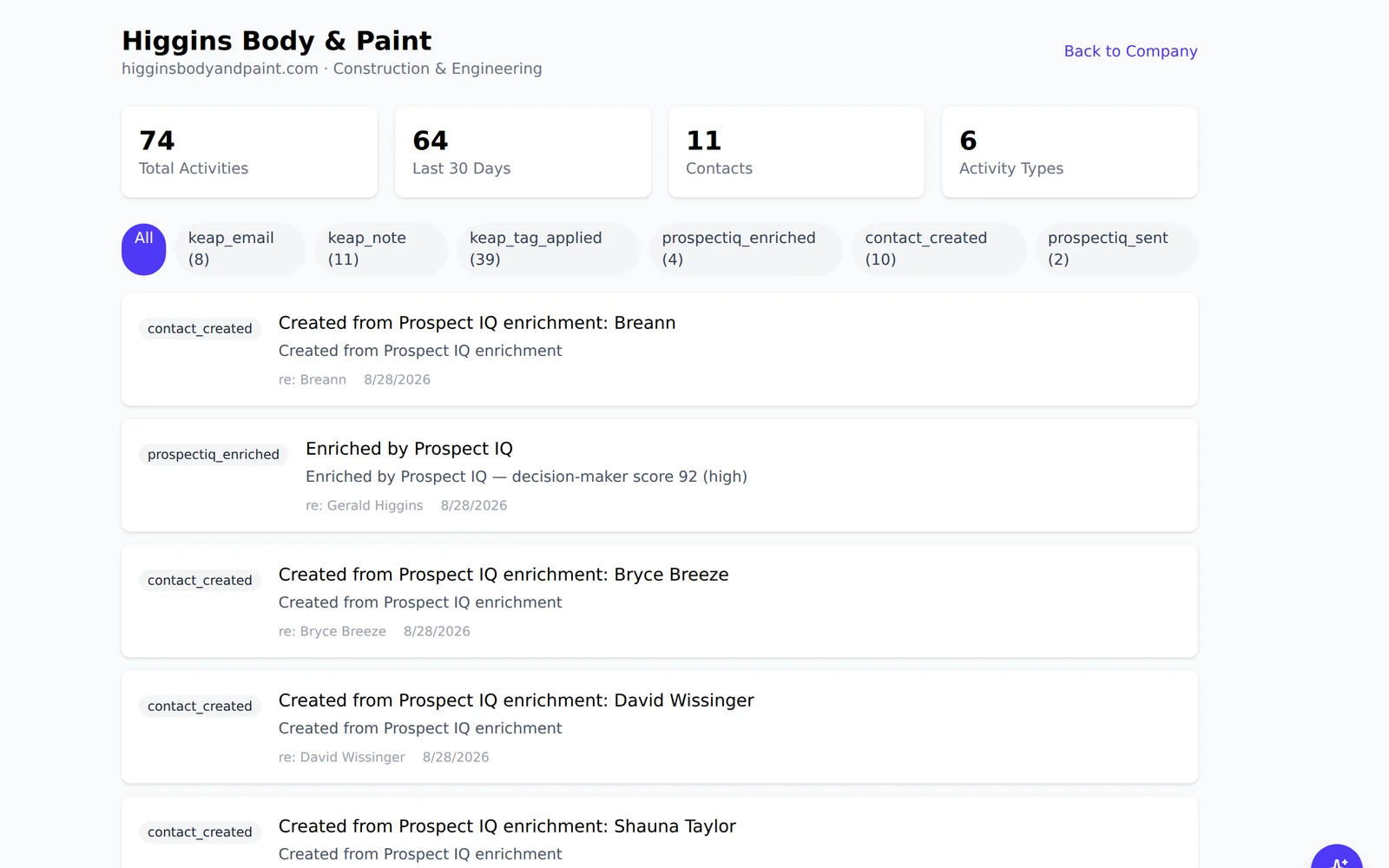
The mechanism
The list, and the problem the list could not solve
A blocklist handles the noise that arrives one row at a time. It does nothing about the noise that arrives forty rows at once from a single event, and that turned out to be the bigger half.
Fourteen types, named
These are the entries an integration or a journey writes to talk to itself. They are grouped in one place in the code rather than repeated as a condition at each call site, so the reading view and any query view can never disagree about what counts as a machine entry.
- Tag bookkeeping — tags applied, removed and added, plus the two written by the Keap importer under their own names
- Field pokes and syncs — field updates, sync runs, imports, and a generic system type
- Webhook fan-out to other systems
- Journey canvas views — somebody looked at the diagram
- Notes a journey step wrote rather than a person
- Per-lane journey churn — a lane entered, a lane completed
Collapsing beats filtering, and the numbers say by how much
On a measured contact page, forty-one of fifty entries were journey lane churn — fifteen consecutive lane completions in one run — burying the call, the meeting and the deal somebody opened the page to find. Filtering all of it away would have hidden the fact that the person is in a campaign at all, which is something a rep genuinely needs.
So a contact sitting in forty-three lanes of one campaign now reads as one line: entered the campaign, started in forty-three branches. It is aggregated in the query, so forty-three rows cost one. The closing line is emitted only once no lane is still open — and a paused lane counts as open, because a paused lane has not finished and so neither has the campaign. Two other milestones needed nothing here: meeting a goal and leaving a campaign are already real entries, and the exit carries its reason.
Turning it on adds, and never disguises
The toggle that reveals machine activity does not swap the summary for the detail — it adds the raw per-lane entries alongside the collapsed one, so you can see both the shape and the churn that produced it. Machine-written notes stay marked as machine-written even then. That distinction is the point of the type: an importer manufactures a note for every node it could not translate, and a note that reads like a colleague’s but was written by a migration is worse than one that is honestly labelled.
Who it is for
For teams whose automation outnumbers their people
The more journeys and scoring you run, the more this matters, and the less anyone notices it is working.
- Reps who stopped reading the timeline because it was 90 per cent noise.
- Ops teams who still need to prove an enrolment fired at 3am.
- Anyone auditing why a contact’s score changed.
Questions
The things people actually ask.
Which activity types are hidden, and where?
Fourteen system-generated types — the ones written by automation rather than by a person — on the contact timeline, which is the view a rep lives in and the one the noise was drowning. The list lives in one place in the code, so the human view and any query view can never drift apart on what counts as a system type.
Can an administrator turn suppression off?
The suppressed types remain queryable at all times, so nothing is locked away. What suppression governs is the default human timeline, which exists to be readable.
Does hiding activity affect reporting?
No. Reporting reads the stored activity, not the filtered view. Suppression is a decision about one screen, not about what happened.
Count the entries on a busy contact.
Then look at how many of them a person actually needed to see. That gap is what this page is about.